One calm command center for every application you care about.
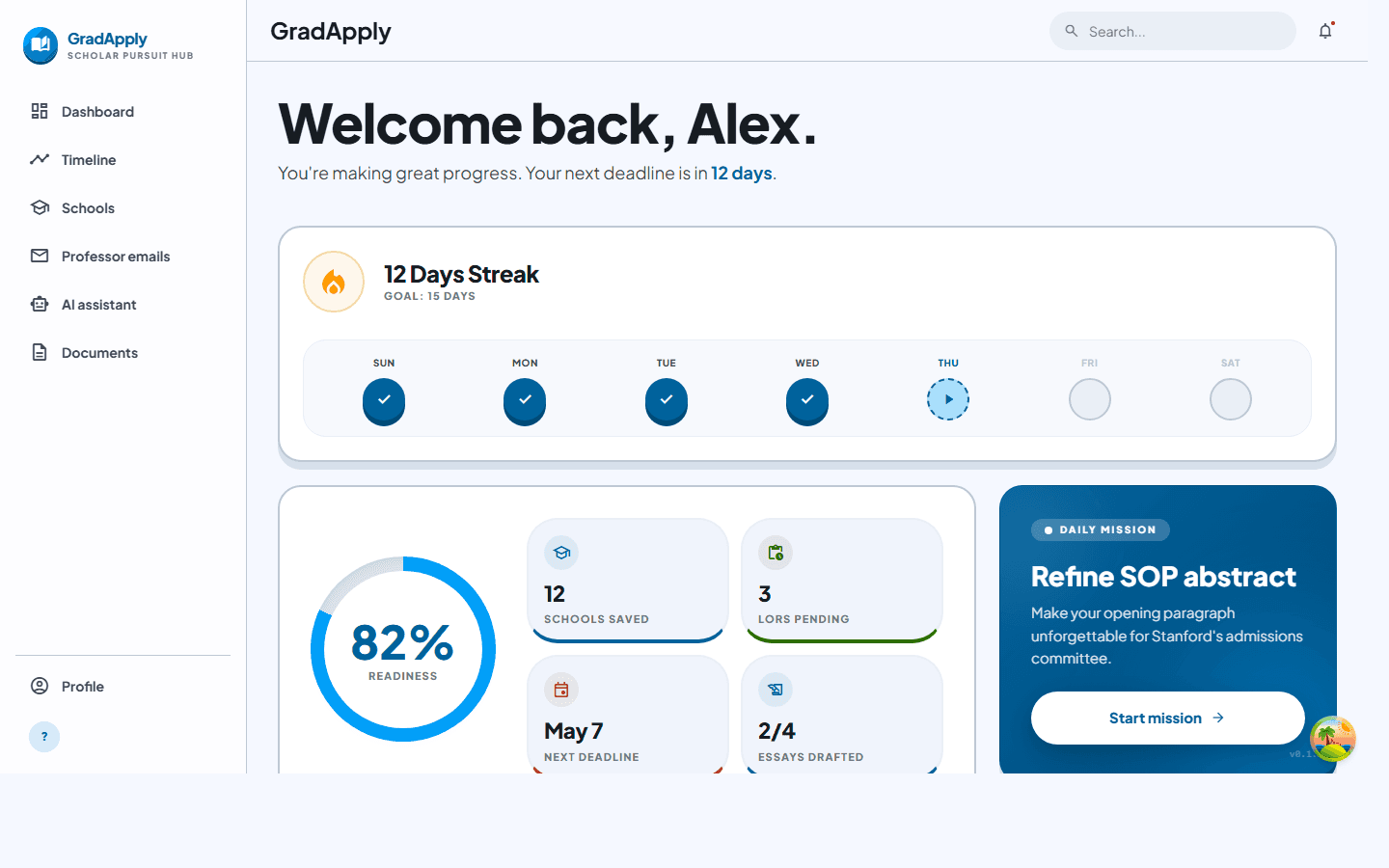
GradApply exists so you spend less time juggling spreadsheets and inboxes, and more time on research fit, faculty outreach, and stories only you can tell. Track schools and deadlines, draft professor emails with guardrails, version your SOP and CV, and use AI where it helps — without losing your voice.
Optional Google connectors · Document storage · AI tuned for application writing
Clarity. Structure. Momentum.
Applying is emotional and logistical at once. The product vision is simple: give you clarity, structure, and momentum until you hit submit — then celebrate.
Clarity over chaos
A single timeline and pipeline for programs, requirements, and deadlines — so nothing lives only in your head or buried in email threads.
Explore workspaceOutreach that sounds like you
Professor emails deserve research and tone. Draft with AI assistance, iterate with version history, and send when it actually reflects your fit.
View studioAI as a skilled editor
Grammar, structure, and strategic feedback — not a replacement for your judgment. Bonus credits and monthly allowances keep usage predictable.
Try AI editorEverything in one place
The most powerful suite of tools ever built for the modern applicant. Tap any feature below to preview it.
School pipeline
Visual tracking for every phase of your application lifecycle. Documents, interviews, follow-ups — one view.
Real-time tracking
Instant updates on deadlines and portal statuses.
Reference hub
Request and monitor LORs from the dashboard.
Stanford University
MIT
Harvard University
Built around how you actually work
Shortlist. Reach out. Refine. Ship — before the clock runs out.
School pipeline
Track programs, statuses, and deadlines with reminders so rolling admissions don't surprise you.
Application timeline
See what's coming across schools in one view — fewer spreadsheet tabs, fewer near-misses.
Professor email studio
Draft outreach and follow-ups with AI modes suited to academic tone — refine until you're proud to send.
Documents & versions
Upload SOPs, CVs, and supporting files with snapshots when you need to roll back a paragraph.
Writing & chat assistant
Grammar passes, structural suggestions, and feedback loops for statements and emails.
Optional Google hooks
Connect Gmail or Drive when you want your workflow closer to where files and threads already live.
From curiosity to confirmation
Three stages most applicants repeat until applications are in.
Build your shortlist
Add schools, note requirements, and let deadlines surface on your dashboard and timeline.
Draft with intention
Shape outreach and statements with AI help, then revise with versions and your own standards.
Submit with confidence
Upload finals, track what's sent, and keep momentum through rolling decisions.
Start free, upgrade when it pays for itself
Higher monthly AI allowances and more room for drafts, discovery, and polish. Exact charges depend on how your deployment configures Stripe or Paystack.
Free
Explore the workspace and stay organized.
- 35 AI actions / month
- School pipeline & timeline
- Professor email drafting
- Documents & basic assistant
Plus
PopularFor applicants running several serious apps.
- 200 AI actions / month
- Everything in Free
- Higher throughput for drafts & iterations
- Credit packs (+50 per pack)
Pro
Heavy usage: many schools, many drafts, tight timelines.
- 600 AI actions / month
- Everything in Plus
- Best for parallel programs and frequent AI passes
- Same credit packs where checkout is enabled
AI “actions” cover assistant work like drafts, chat turns, and discovery flows; bonus credits spend first. Dollar amounts are examples only — your administrator sets real prices and providers.
Common questions
Straight answers to what applicants ask before they commit.
Can I start without paying first?
Will this write my SOP or emails for me?
How does GradApply personalize recommendations?
Can I use GradApply without Google integrations?
Can I edit everything before sending?
Can I export or delete my data later?
How quickly can I get setup for this cycle?
Ready to make this cycle feel manageable?
Join scholars who use GradApply to navigate their futures — one calm command center for every application.
No credit card required · Free forever plan available